


On November 9, 2026, JANUS Pro introduced a 3D face viewing feature. The update lets you rotate a facial model created from front, left, and right photos and compare two views side by side.
When explaining the same cheek area using images captured under different lighting modes during a consultation, can you keep both faces facing the same direction? In this article, we look at how the two views move together in a split-screen display and how to follow an area of interest as you explain it.
From front, left, and right photos to a 3D face you can view from different angles
The 3D face viewing feature creates a facial model from three photos—front, left, and right—taken in the same capture session. It is available for sessions that include all three views, and you can rotate the generated model to move from a frontal to a side view.
For example, if you shift your attention from the cheek to the area beside the nose, you can rotate the face to bring that area into view. Instead of looking at the face in a photo from a fixed direction, you can adjust the view to suit the area you want to observe. This feature lets you rotate a face generated from photos; the view should not be interpreted as a measurement of depth or volume.
Rotate both views together and follow the same area
In the split-screen comparison, the rotation of the two faces is automatically synchronized. In the demonstration below, both faces turn together from one side, through the front, and toward the other side. Notice how the direction of the nose and the angle of the cheek change together in both views as the faces move.
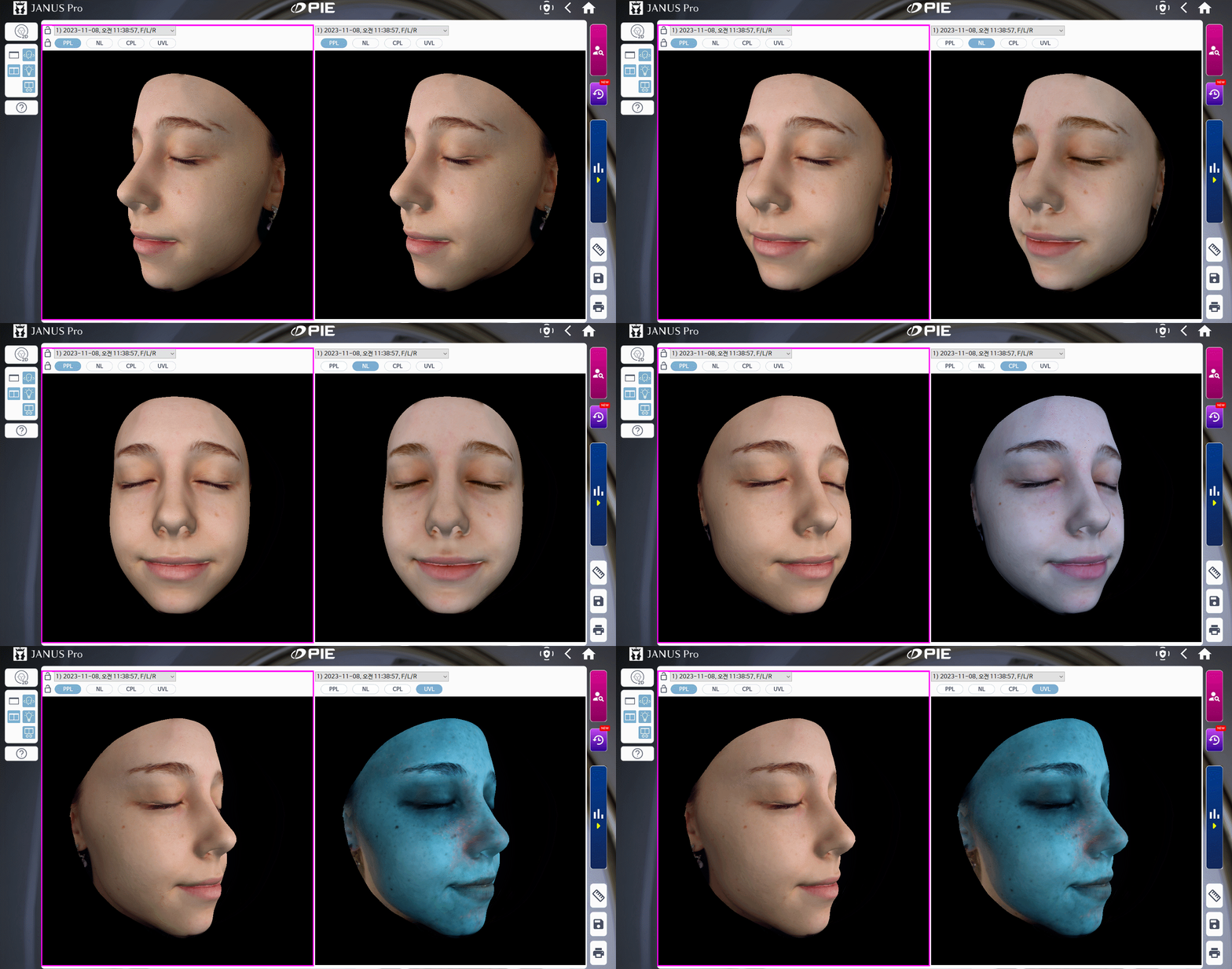
The left view stays in PPL mode, while the right view changes from PPL to NL, CPL, and UVL. With synchronized rotation, you can examine the cheek or the area beside the nose from the same angle under different lighting modes, using images from the same capture session.
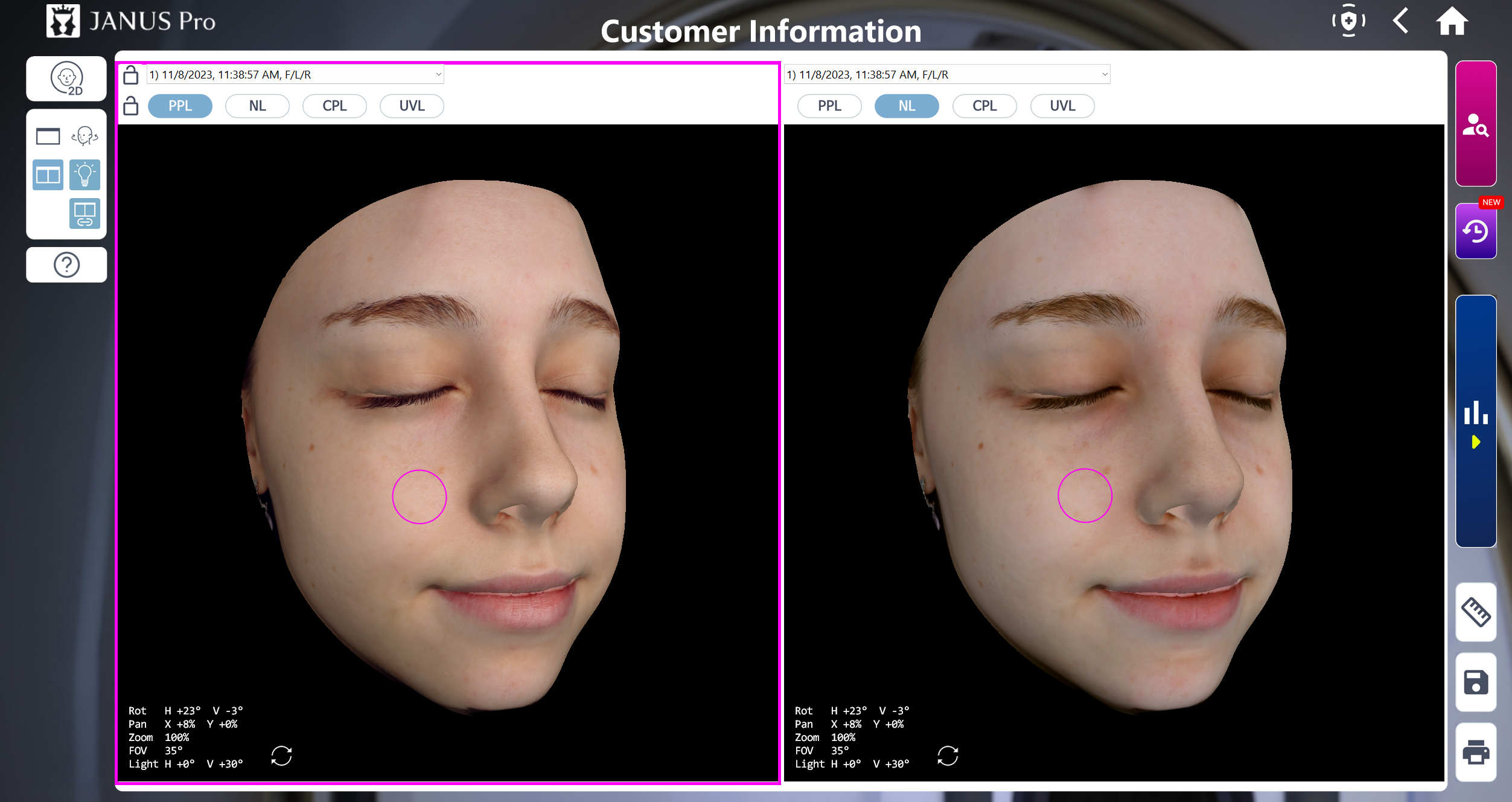
In the split-screen display, zoom and display positions are synchronized along with rotation. You can double-click an area to mark it with a circle or remove the circle. By circling an area of interest on the cheek, as shown above, you can point to the same location in both images captured under different lighting modes as you explain it.
Performance may vary depending on your PC specifications. The official recommended specifications are an Intel Core i5 or higher, at least 16GB of RAM, and a dedicated graphics card.