


What Is Personal Color?
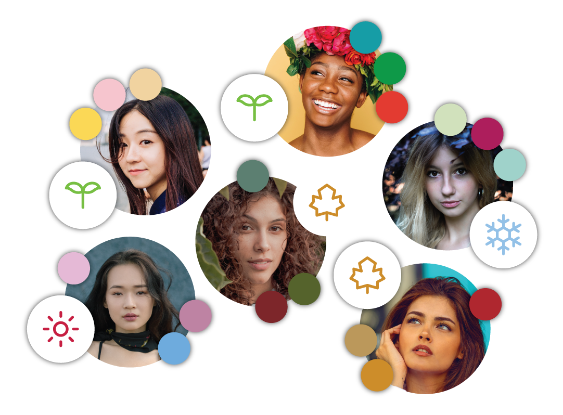
Personal colors are colors that naturally harmonize with your skin tone. Knowing which colors suit you can help when choosing clothing and makeup.
Personal color consultations often consider whether colors feel warm or cool, as well as their lightness and intensity. These characteristics are sometimes organized into spring, summer, autumn and winter palettes. The seasons are a way to describe color characteristics; the detailed categories can vary by consultation method.
Compare Colors with FOCUSKIN
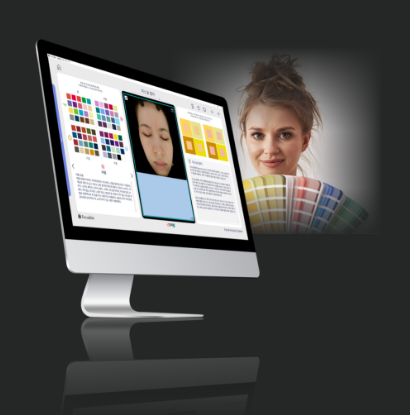
The FOCUSKIN personal color feature lets you view a photo of your face alongside different colors. Select and change the colors one at a time, and explore with your consultant how each color looks next to your face.
For example, comparing coral pink with a blue-toned pink lets you see the difference between warmer and cooler colors. Within the pink family, you can also try lighter and deeper shades, or vivid and softer shades, to see which you prefer.
A benefit of the FOCUSKIN feature is that you can start with the colors that interest you and compare them yourself, without limiting your choice to one predetermined color. Once you find a shade you like, you can continue exploring similar shades or other color families.
Compare Two Colors Side by Side Using the Same Photo
The personal color screen lets you see the same facial photo with two different colors side by side. In the example below, dark blue and light green are selected so you can compare how each color looks next to the face.
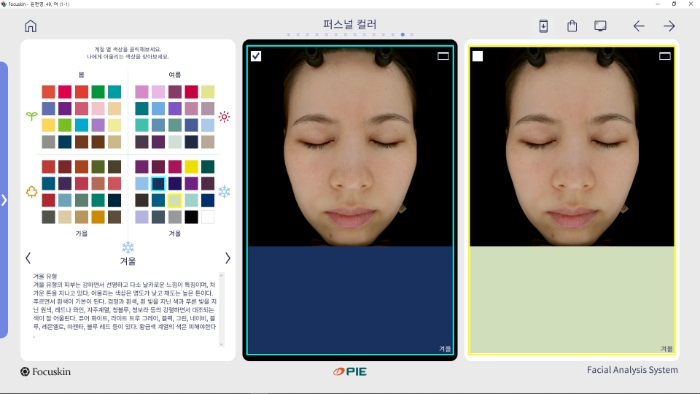
The facial photo stays the same as you change colors, so there is no need to take a new photo for each comparison. Seeing both colors on one screen also means you do not have to rely as much on memory when comparing them.
Explore More Colors After Finding One You Like
The screen displays a range of colors grouped into spring, summer, autumn and winter. Choose the colors you want to see, starting with shades you already like or comparing different color families.
For example, if you feel pink suits you, you can try light and deep pink shades in turn. Then explore other color families to see whether you like them as well. You can also select a previous favorite again for another comparison.
Changing colors yourself lets you start with one shade you like and explore others that may suit you. Alongside familiar colors, you may discover new options to try.
Choose Makeup with Your Consultant
Once you find a color you like on the personal color screen, use it as a starting point to explore lipsticks or blushes with your consultant. For example, if you like coral pink, you can compare products in similar coral or peach shades. The product does not have to match the screen color exactly.
Within a color family, compare light, soft shades with deeper, more vivid ones. Your choice may depend on whether you want an everyday look or a more noticeable color on your lips or cheeks. If choosing both lip color and blush, look at them together to see whether they create the effect you want.
Consider the color payoff and finish as well as the shade name. A sheer product may allow your natural lip color to show through, while a more pigmented product can look more vivid. Consider whether you prefer a dewy, glossy finish or a soft, matte one.
A color on screen can look different from a cosmetic product when applied. In store, compare the shade description with a tested swatch, keeping in mind that color can look different on the back of the hand and on the lips or cheeks. Tell your consultant which colors you usually enjoy and the look you want to help narrow down the options.